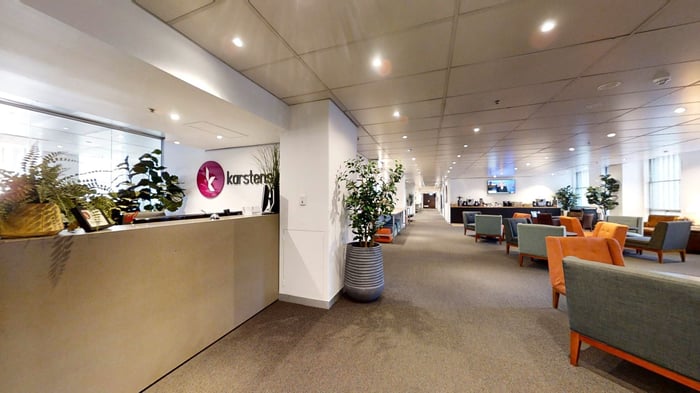

Training Venue Checklist: What to Check Before Booking

Choosing the right training venue affects learning outcomes, delegate comfort, facilitator confidence and event-day delivery. A good training venue checklist helps organisers compare options properly and avoid last-minute issues with room layout, technology, catering, Wi-Fi, breakout spaces and onsite support.
For training managers, HR teams, executive assistants, government departments, education providers and professional development organisations, the venue is more than a room. It is the environment that supports learning, participation and a smooth delegate experience.
What Is a Training Venue Checklist?
A training venue checklist is a practical planning tool that helps organisers assess whether a venue can support the training objective, delegate numbers, room layout, technology, catering, comfort, accessibility and logistics.
Why a Checklist Matters
Training events often involve facilitators, laptops, learning materials, full-day agendas, catering breaks, activities and hybrid participants. A checklist helps ensure the venue can support the full training experience, not just fit the number of delegates.
When to Use the Checklist
Use a training venue checklist when shortlisting venues, comparing quotes, inspecting rooms, confirming AV requirements and finalising event details before the training day.
Training Objective and Event Format
Before booking a venue, define the purpose of the training. The room setup for software training may be very different from a leadership workshop, compliance session, induction program, certification course or team development day.
Confirm Delegate Numbers
Room size should support comfort, table space, movement and visibility, not just maximum capacity. Delegates may need laptops, workbooks, water, notes and space for activities.
Understand the Agenda
Review the session length, catering breaks, group work, presentations, assessments, hybrid elements and facilitator requirements. The agenda should guide the room layout and support services.
Location and Access Checklist
A convenient location makes attendance easier and reduces delays.
Check:
- CBD location or convenient access
- public transport options
- parking nearby where available
- taxi and rideshare access
- accommodation nearby for interstate delegates
- clear arrival instructions
- accessible entry
- lift access where required
- clear signage
Room Layout Checklist
The room layout should match the learning objective.
Classroom Layout
Best for structured learning, laptop use, compliance training, certification and note-taking.
Cabaret Layout
Best for workshops, group work, planning sessions and collaborative learning.
U-Shape Layout
Best for facilitated discussion, leadership training and interactive smaller groups.
Boardroom Layout
Best for executive training, coaching, governance sessions and small-group learning.
Theatre Layout
Best for presentations, briefings and short information sessions.
Before confirming the layout, ask:
- Can the venue support the preferred setup?
- Can all delegates see the screen?
- Is there enough table space?
- Can the facilitator move around the room?
- Is there space for activities or group work?
- Can the room be changed between sessions if needed?
AV and Technology Checklist
Technology can make or break a training event. Confirm requirements early, especially if delegates need laptops or remote participants are joining.
Check:
- screens or projectors
- presenter connections
- microphones where required
- speakers and sound
- reliable Wi-Fi
- power access
- whiteboards or flipcharts
- video playback
- hybrid meeting setup
- Zoom or Microsoft Teams support
- onsite technical support
- pre-event testing
Hybrid Training Checklist
Hybrid training needs more planning than a standard in-room session.
Check:
- camera placement
- room microphones
- remote participant visibility
- screen sharing
- online meeting links
- chat or Q&A moderation
- Wi-Fi reliability
- presenter audio
- technical support
- backup plan for connection issues
Remote participants should be able to see, hear and contribute clearly.
Catering and Refreshments Checklist
Catering supports energy and delegate satisfaction during full-day training.
Check:
- arrival coffee
- morning tea
- lunch
- afternoon tea
- water in the room
- tea and coffee access
- dietary requirements
- allergy-aware service where available
- catering timing aligned to the agenda
- catering served inside or outside the room
Dietary requirements should be collected early and confirmed with the venue before the event.
Breakout Spaces Checklist
Breakout spaces support group work, informal learning, networking and reset time.
Check:
- group activity spaces
- private breakout rooms where required
- catering breakout areas
- quiet spaces for calls
- waiting areas
- facilitator preparation space
- breakout spaces near the main room
- Wi-Fi access in breakout areas
Breakout spaces are especially useful for workshops, leadership programs, mediations, multi-day training and sessions with group activities.
Delegate Comfort Checklist
Comfort affects concentration and engagement, especially during full-day or multi-day training.
Check:
- ergonomic seating
- suitable table space
- natural light where available
- room temperature control
- good acoustics
- clear sightlines
- appropriate room size
- lighting control
- reduced glare
- easy movement around the room
- clean and professional presentation
A room that is suitable for a short meeting may not be suitable for a full-day training program.
Accessibility and Inclusion Checklist
A good training venue should support inclusive participation.
Check:
- accessible entry
- lift access where required
- accessible bathrooms
- clear signage
- dietary requirements
- microphone use where required
- screen visibility
- flexible seating arrangements
- hybrid access for remote participants
- clear pre-event communication
Accessibility should be considered during venue selection, not after the booking is confirmed.
Facilitator and Presenter Checklist
Facilitators need the right setup to deliver training smoothly.
Check:
- room access before delegates arrive
- AV testing time
- presenter table or lectern if required
- whiteboard or flipchart
- markers and stationery
- storage for materials
- microphone support
- laptop connections
- support contact on the day
- clear run sheet
A well-prepared room helps the facilitator start confidently and keep the session on track.
Booking and Quote Checklist
Before confirming a training venue, review the quote carefully.
Check:
- room hire inclusions
- catering costs
- AV inclusions
- hybrid meeting costs
- minimum numbers
- final numbers deadline
- cancellation terms
- payment terms
- contact person
- written confirmation
- special requirements noted clearly
A clear quote helps avoid confusion and makes it easier to compare venues.
Site Inspection Checklist
A site inspection helps organisers confirm whether the venue will work in practice.
During the inspection, check:
- arrival experience
- room condition
- natural light and glare
- seating comfort
- AV setup
- Wi-Fi availability
- breakout areas
- catering areas
- bathrooms
- accessibility
- noise levels
- signage
- onsite support
Walk through the event as a delegate would experience it, from arrival to registration, room entry, breaks and departure.
Common Mistakes When Booking Training Venues
Choosing Only by Capacity
Maximum capacity does not guarantee comfort. Consider table space, sightlines, movement and facilitator access.
Underestimating Wi-Fi
Training often involves laptops, online platforms, live polling, shared documents and hybrid participants. Wi-Fi should be discussed early.
Forgetting Breakout Spaces
Full-day training often needs space outside the main room for group work, catering, calls and informal learning.
Leaving Catering Too Late
Catering timing and dietary requirements should be confirmed early so the agenda runs smoothly.
Not Briefing the Venue Properly
Share the agenda, AV needs, hybrid links, facilitator requirements, materials, dietary needs and special instructions before the event day.
How Karstens Supports Training Venue Planning
Karstens provides purpose-built conference and training venues in Melbourne, Sydney, Brisbane, Perth and Adelaide.
Karstens supports organisers with CBD locations, purpose-built training rooms, flexible layouts, classroom, cabaret, U-shape, boardroom and theatre options, ergonomic seating, natural light where available, built-in AV, reliable Wi-Fi, hybrid training capability, catering and dietary management, breakout spaces where available, onsite support and professional event coordination.
The Karstens team can help organisers choose the right venue setup based on training objectives, delegate numbers, room layout, catering, technology and facilitator requirements.
Conclusion
A training venue checklist helps organisers compare venues, reduce risk and create a better learning experience. The right venue supports comfort, technology, catering, accessibility, facilitator delivery and delegate engagement.
Contact Karstens to discuss training venue options, layouts, catering, AV, hybrid requirements and current availability.
Frequently Asked Questions
What Should I Check Before Booking a Training Venue?
Check the training objective, delegate numbers, room layout, AV, Wi-Fi, hybrid requirements, catering, breakout spaces, accessibility, comfort and onsite support.
What Makes a Good Corporate Training Venue?
A good corporate training venue supports learning with flexible layouts, reliable technology, comfortable seating, catering, breakout spaces and professional coordination.
What Room Layout Is Best for Training?
The best layout depends on the session purpose. Classroom suits structured learning, cabaret supports collaboration, U-shape encourages discussion and boardroom suits executive training.
Why Is Wi-Fi Important for Training Venues?
Wi-Fi is important because many training sessions use laptops, online platforms, shared documents, live polling and hybrid participation.
Do Training Venues Need Breakout Spaces?
Breakout spaces are useful for group work, catering breaks, informal discussion, private calls and delegate reset time during full-day training.
What Catering Should I Arrange for a Training Day?
Full-day training may require arrival coffee, morning tea, lunch, afternoon tea, water and dietary support. Catering timing should match the agenda.
What AV Is Needed for a Training Venue?
Training venues may need screens, presenter connections, microphones, speakers, Wi-Fi, whiteboards, flipcharts and hybrid meeting technology.
How Do I Compare Training Venue Quotes?
Compare total value, not just room hire. Review room setup, AV, Wi-Fi, catering, breakout spaces, onsite support, cancellation terms and any additional charges.
To assist you with planning click hyperlink the complete guide to corporate training venues