
Conference Accessibility Guide: How to Plan Inclusive Business Events
Conference accessibility is not only about wheelchair access. It includes mobility, hearing, vision, neurodiversity, dietary needs, communication preferences, digital access, hybrid participation and delegate comfort.
For corporate event organisers, executive assistants, training managers, government departments, associations and professional services firms, accessibility should be built into event planning from the start. The right venue can help organisers create a smoother, more inclusive and more professional business event.
What Is Conference Accessibility?
Conference accessibility means planning an event so people with different access needs can arrive, participate, communicate, eat, learn and contribute comfortably.
It involves the venue, room layout, technology, catering, signage, registration, speaker preparation, digital materials and onsite support.
Accessibility Is More Than Wheelchair Access
Physical access is important, but accessibility also includes clear sound, readable slides, suitable lighting, accessible digital materials, dietary management, clear communication and flexible participation options.
Delegates may need mobility access, front-row seating, a quiet space, dietary support, captions, remote access or extra time to move between sessions.
Why Accessibility Matters
Accessibility improves inclusion, delegate satisfaction, participation and event outcomes. It also supports brand reputation and gives organisers confidence that different delegate needs have been considered.
An accessible event is often easier for everyone to attend, not only people with specific access requirements.
Start Accessibility Planning Early
Accessibility should not be treated as a last-minute adjustment. The earlier organisers ask the right questions, the easier it is to plan suitable arrangements.
Ask Delegates About Access Needs
Registration forms should give delegates the opportunity to share access requirements. This may include mobility access, hearing support, seating preferences, dietary needs, quiet spaces, interpreters, accessible materials or communication requirements.
Keep the wording respectful and practical. The aim is to understand what support will help delegates participate comfortably.
Share Information Before the Event
Delegates should receive clear information before the event, including venue address, transport options, arrival instructions, lift access, parking details, agenda timing, room location and contact information.
Clear communication helps delegates plan their day and reduces uncertainty on arrival.
Assign an Accessibility Contact
Provide a contact person before and during the event. This gives delegates confidence that questions or access needs can be handled discreetly and professionally.
The accessibility contact may be the organiser, event coordinator or venue contact, depending on the event structure.
Choose an Accessible Conference Venue
Venue selection has a major impact on accessibility. A venue may look suitable online, but organisers should ask specific questions about access, room flow and delegate comfort.
CBD Location and Transport Access
A CBD venue close to public transport, taxis, rideshare, parking and hotels can make attendance easier. For interstate or regional delegates, nearby accommodation is also important.
Clear arrival routes and simple directions help reduce stress for delegates, presenters and support people.
Building Access and Wayfinding
Ask about entrances, lifts, ramps where available, reception points, signage and directions to the room. Delegates should be able to find the venue and move through the building with confidence.
Wayfinding is especially important in multi-level venues or buildings with multiple entry points.
Accessible Amenities
Check accessible bathrooms, nearby breakout areas, seating options and ease of movement between rooms. Catering areas, registration desks and breakout spaces should also be considered.
Accessibility needs to work across the full event journey, not just inside the main room.
Room Layout and Seating Accessibility
The room layout affects how delegates move, interact, hear, see and participate.
Allow Space for Movement
Allow clear pathways for wheelchairs, mobility aids and delegates who need extra space. Avoid overcrowding and make sure aisles, entrances and exits are easy to access.
For larger events, consider how people will move between registration, the main room, breakout areas and catering.
Provide Flexible Seating Options
Flexible seating can support different needs. This may include reserved seating, front-row seating, aisle seating, companion seating or seating close to exits.
Organisers should also consider sightlines, screen visibility and access to microphones for Q&A.
Match the Layout to the Event Format
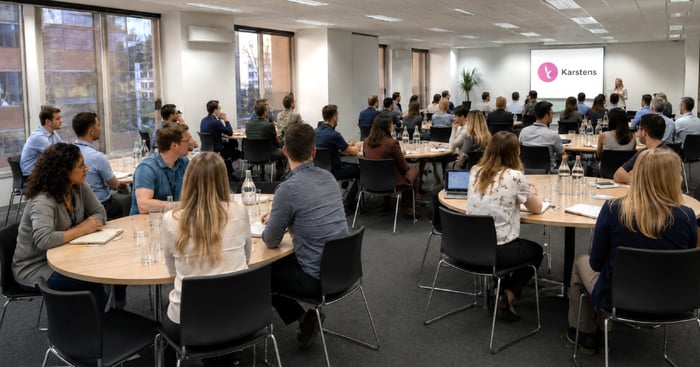
Different layouts support different participation needs. Theatre style works for presentations but offers limited table space. Classroom style supports note-taking. Cabaret encourages discussion. U-shape supports interaction and visibility. Boardroom style suits smaller executive meetings and decision-making sessions.
The best layout depends on the event purpose and delegate needs.
Audio, Visual and Presentation Accessibility
Delegates need to see and hear clearly to participate fully. AV should be planned as part of accessibility, not only as a presenter requirement.
Clear Sound and Microphones
Microphones are important for presenters, panels and audience Q&A, especially in larger rooms. If hybrid attendees are joining, microphones are also needed so remote participants can hear in-room discussion.
Speakers should be encouraged to use microphones even if they feel they can project their voice.
Screen Visibility and Readable Slides
Slides should be easy to read from all seats. Use large fonts, strong contrast and clear layouts. Avoid overcrowded slides and small text.
Check screen position, lighting, glare and sightlines before the event starts.
Captions and Assistive Options
Depending on delegate requirements, organisers may need captions, interpreters, transcripts, accessible presentation files or other assistive options.
These requirements should be confirmed early so the venue, speakers and suppliers can prepare.
Digital and Hybrid Event Accessibility
Accessibility also applies to digital and hybrid participation.
Accessible Digital Materials
Digital agendas, slides, PDFs and workbooks should be easy to access and use. Use clear file names, readable formatting and alternative formats where practical.
For important documents, consider whether they can be read on screen readers or shared in advance.
Hybrid Meeting Participation
Hybrid events need careful planning. Remote delegates should receive clear joining instructions and be able to see, hear and contribute.
Zoom or Microsoft Teams setup, cameras, room microphones, chat moderation and remote Q&A all affect accessibility.
Recording and Post-Event Access
Recordings, transcripts and slide sharing can help delegates review content after the event. Always confirm permissions and privacy requirements before recording.
Catering and Dietary Accessibility
Catering is an important part of inclusive event planning. Delegates should be able to eat safely and confidently.
Collect Dietary Requirements Early
Dietary requirements should be collected during registration and confirmed before final numbers are provided to the venue. Common requirements include vegetarian, vegan, gluten-free, dairy-free, halal, kosher and allergy-specific meals.
Label Food Clearly
Clear food labelling helps reduce confusion during breaks. Where required, separate meals or direct service can help delegates identify the right option.
Allergy-related meals should be handled carefully and communicated clearly with the venue.
Make Catering Spaces Accessible
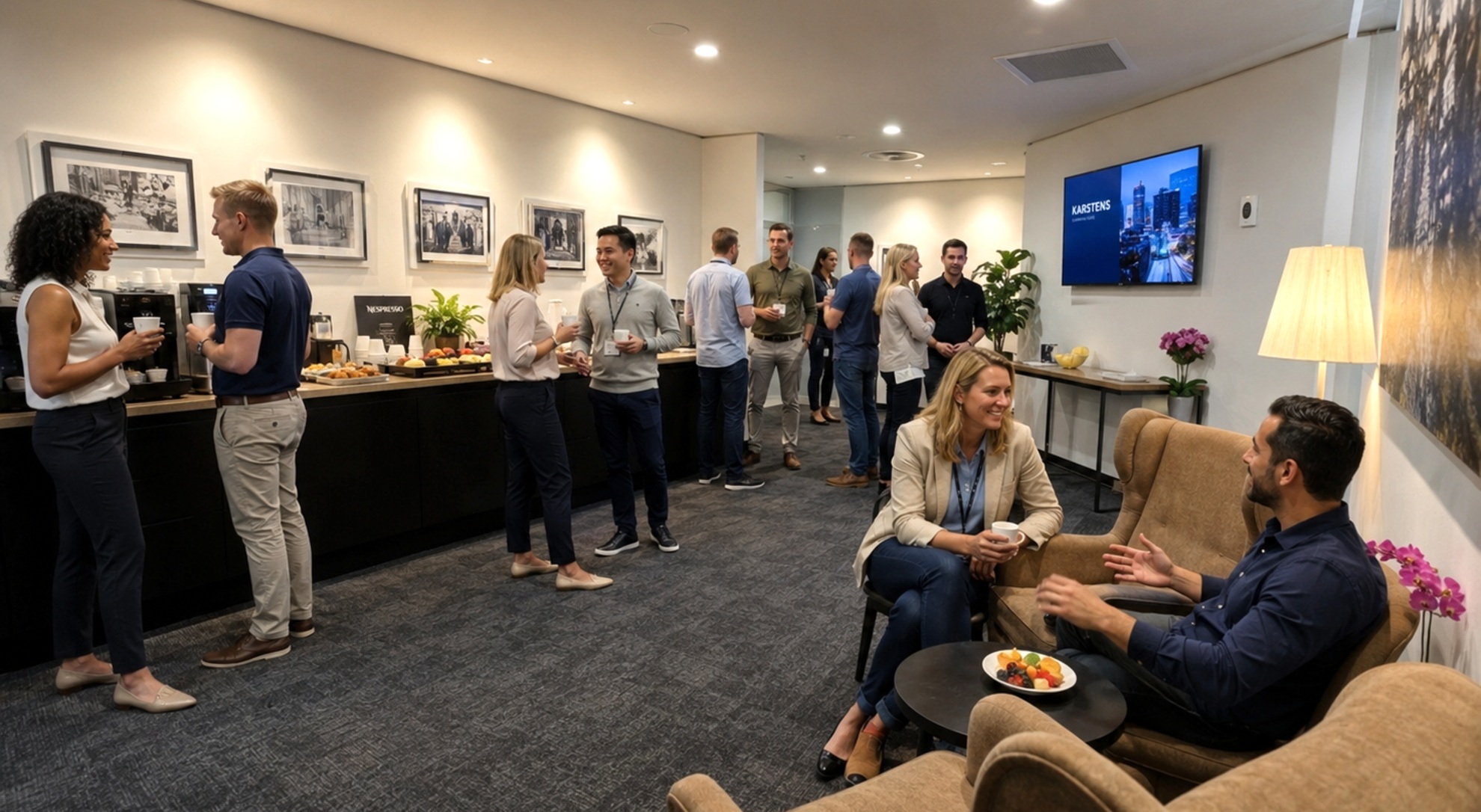
Catering areas should allow easy movement and avoid congestion. Consider table height, pathways, queue flow and nearby seating.
Breakout spaces should be comfortable and easy to access.
Neurodiversity, Sensory Needs and Delegate Comfort
Inclusive conferences should also consider sensory and cognitive needs.
Manage Noise, Lighting and Breaks
Lighting, glare, background noise, room temperature and acoustics all affect comfort. Scheduled breaks help delegates reset and process information.
Natural light, calm breakout areas and clear room flow can help support a better experience.
Provide Clear Agendas and Expectations
Clear agendas, session descriptions, timings and instructions help delegates understand what to expect. This is useful for all attendees, and especially important for people who prefer predictable structure.
Consider Quiet Spaces
Where available, quieter breakout areas can support delegates who need a short rest, private call, sensory break or space to prepare before rejoining the event.
Registration and Arrival Accessibility
The arrival experience sets the tone for the event.
Clear Signage and Check-In
Registration should be easy to find. Use clear signage, prepared name badges, attendee lists and trained staff who understand the check-in process.
A calm, organised arrival experience helps delegates feel welcome.
Reduce Queues and Confusion
Long queues can create stress and access challenges. Prepare materials in advance, allow enough time for arrival and consider support at the registration point for larger events.
Communicate Changes Quickly
If room locations, timing or access routes change, communicate clearly and quickly. This is especially important for delegates who have planned their day around specific access needs.
Staff, Speaker and Facilitator Preparation
Accessibility works best when organisers, speakers and venue staff are aligned.
Brief Speakers on Accessibility
Speakers should use microphones, speak clearly, describe important visuals and allow time for questions. Slides should be readable and not overloaded with text.
Brief the Venue Team
Share relevant access needs, dietary requirements, seating plans, registration details and escalation contacts with the venue team before event day.
Build Accessibility Into the Run Sheet
The run sheet should include access arrangements, breaks, microphone use, hybrid support, catering timing and responsible contacts.
This helps the event team respond quickly and consistently.
Conference Accessibility Checklist
Use this checklist when planning an accessible conference or business event:
- ask delegates about access needs
- confirm mobility access
- confirm lift and entrance access
- check accessible bathrooms
- confirm transport and parking options
- provide clear arrival instructions
- plan room layout and pathways
- reserve accessible seating where required
- check screen visibility
- test microphones and sound
- prepare accessible digital materials
- confirm captions or interpreters if required
- plan hybrid participation
- collect dietary requirements
- label catering clearly
- provide breakout or quiet spaces where possible
- brief speakers and facilitators
- brief venue staff
- assign an accessibility contact
- review delegate feedback after the event
Common Accessibility Mistakes to Avoid
Treating Accessibility as an Afterthought
Accessibility should be built into the planning process from the start. Late changes are harder to manage and may not meet delegate needs properly.
Assuming All Venues Are Equally Accessible
Ask specific questions about access, amenities, room flow, signage, AV, breakout spaces and catering areas.
Forgetting Audio Accessibility
Clear sound is essential. Microphones should be used for presenters, panels and audience questions, especially in larger rooms or hybrid events.
Overlooking Dietary Requirements
Dietary needs should be collected early, confirmed with the venue and managed clearly on the day.
Not Communicating Enough Before the Event
Delegates need clear information about transport, arrival, agenda timing, room location, catering and who to contact with questions.
How Purpose-Built Venues Support Accessibility
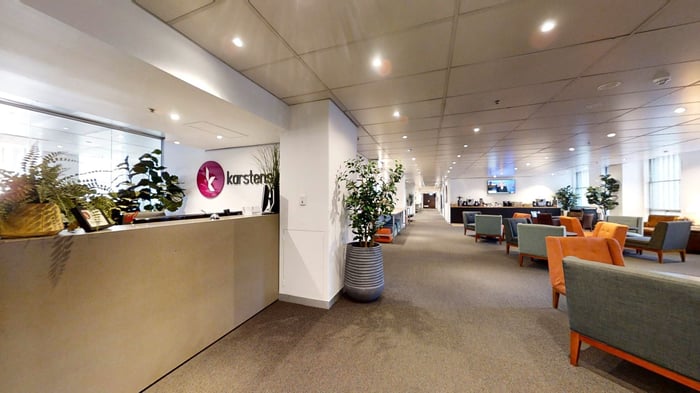
Purpose-built conference venues like Karstens can make accessibility easier through better room design, integrated technology, onsite support and coordinated catering.
Flexible Room Layouts
Flexible seating supports mobility access, sightlines, comfort and different participation needs.
Built-In AV and Hybrid Capability
Screens, microphones, Wi-Fi and hybrid tools support both in-room and remote participation.
Onsite Support and Coordination
A professional venue team can assist with room setup, signage, catering, AV and delegate flow.
How Karstens Supports Inclusive Business Events
Karstens provides purpose-built conference and training venues in Melbourne, Sydney, Brisbane, Perth and Adelaide.
Karstens supports inclusive business events with CBD locations, flexible room layouts, ergonomic seating, natural light where available, built-in AV, reliable Wi-Fi, hybrid meeting capability, catering and dietary management, breakout spaces, onsite support and professional event coordination.
The Karstens team can work with organisers to plan room setup, catering, technology and delegate flow based on the event requirements.
Conclusion
Accessibility improves the conference experience for everyone. Inclusive planning starts early and includes venue choice, communication, room layout, AV, hybrid access, catering, registration and onsite support.
By asking the right questions and choosing a venue that supports professional business events, organisers can create conferences that are more comfortable, inclusive and effective.
Contact Karstens to discuss accessible conference venues, room setup, catering, technology and support for your next business event.
Frequently Asked Questions
What Is Conference Accessibility?
Conference accessibility means planning an event so delegates with different needs can arrive, move around, communicate, eat, learn and participate comfortably.
How Do You Make a Conference More Accessible?
Start early, ask delegates about access needs, choose a suitable venue, plan room layout, use microphones, prepare accessible materials and manage dietary requirements professionally.
What Should I Ask a Venue About Accessibility?
Ask about entrances, lifts, accessible bathrooms, room layout, signage, transport access, AV, breakout spaces, catering areas and onsite support.
Why Is Room Layout Important for Accessibility?
Room layout affects movement, seating options, sightlines, hearing, participation and comfort. Clear pathways and flexible seating help more delegates participate confidently.
How Can AV Improve Conference Accessibility?
Good AV helps delegates hear and see clearly. Microphones, readable screens, captions, hybrid tools and reliable Wi-Fi can improve participation for both in-room and remote attendees.
How Should Dietary Requirements Be Managed?
Dietary requirements should be collected during registration, confirmed before the event and communicated clearly to the venue. Catering should be labelled or served in a way that avoids confusion.
Can Hybrid Events Improve Accessibility?
Yes. Hybrid events can support delegates who cannot attend in person, provided remote participants can see, hear and contribute through suitable technology and moderation.
What Should Be Included in a Conference Accessibility Checklist?
A checklist should include access needs, venue access, room layout, signage, AV, digital materials, hybrid access, catering, dietary needs, staff briefing and post-event feedback.
To assist you with planning click hyperlink The Complete Guide to conference planning